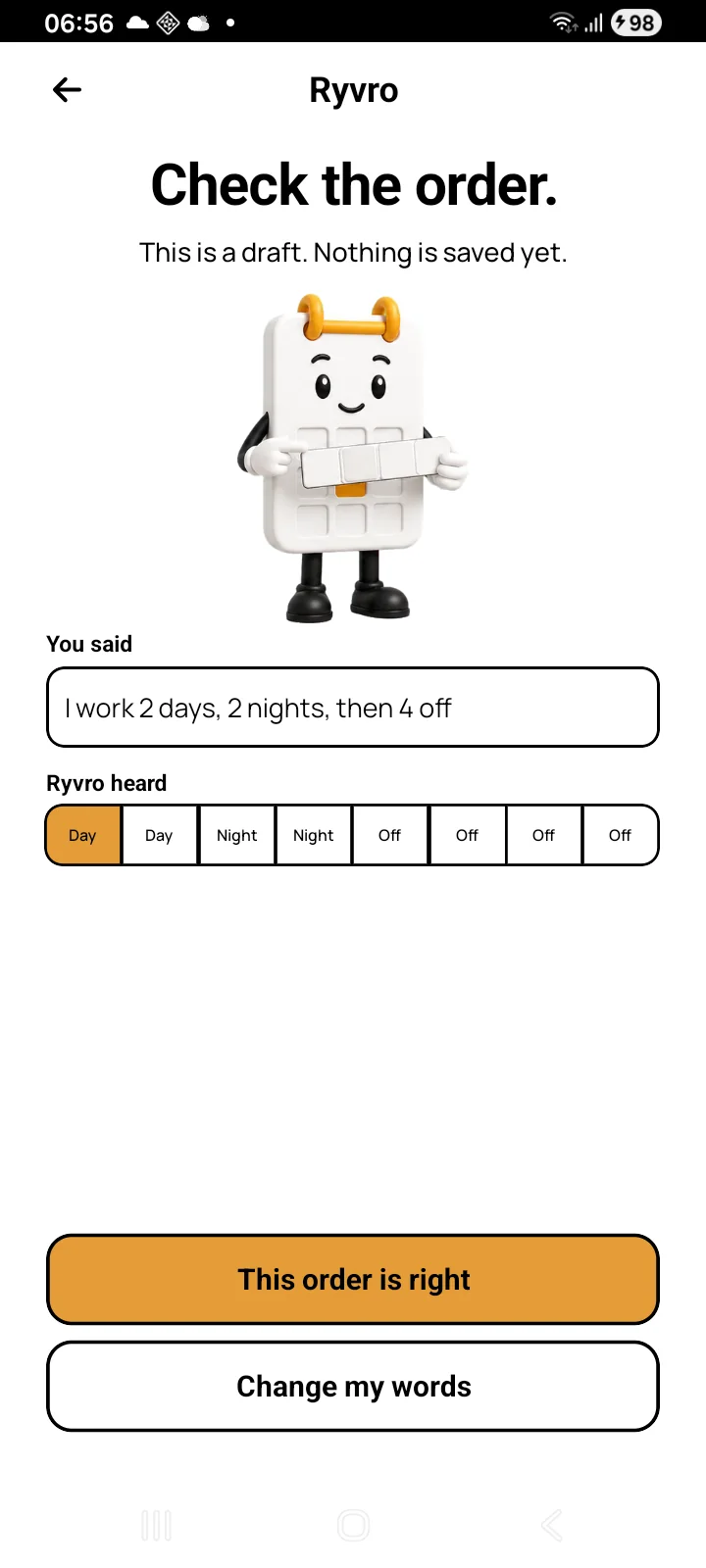
Step 1 · Pattern
Say the order that repeats.
See what Ryvro heard. Change the words if the draft is wrong.
A personal planner for rotating shifts
Ryvro turns the repeating rota you already work into a calendar you can ask, scan for free time, and plan around—before another day off disappears into roster maths.
Real product proof
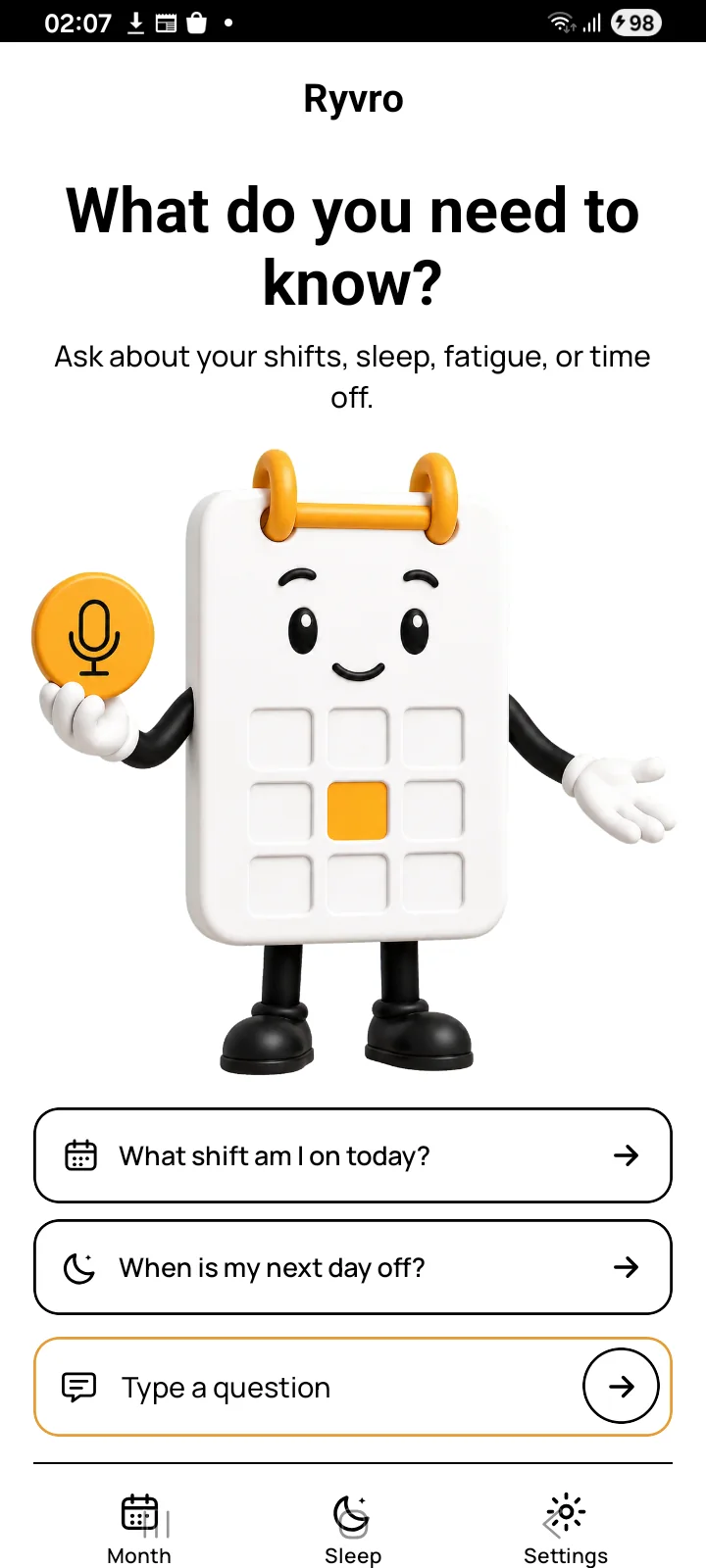
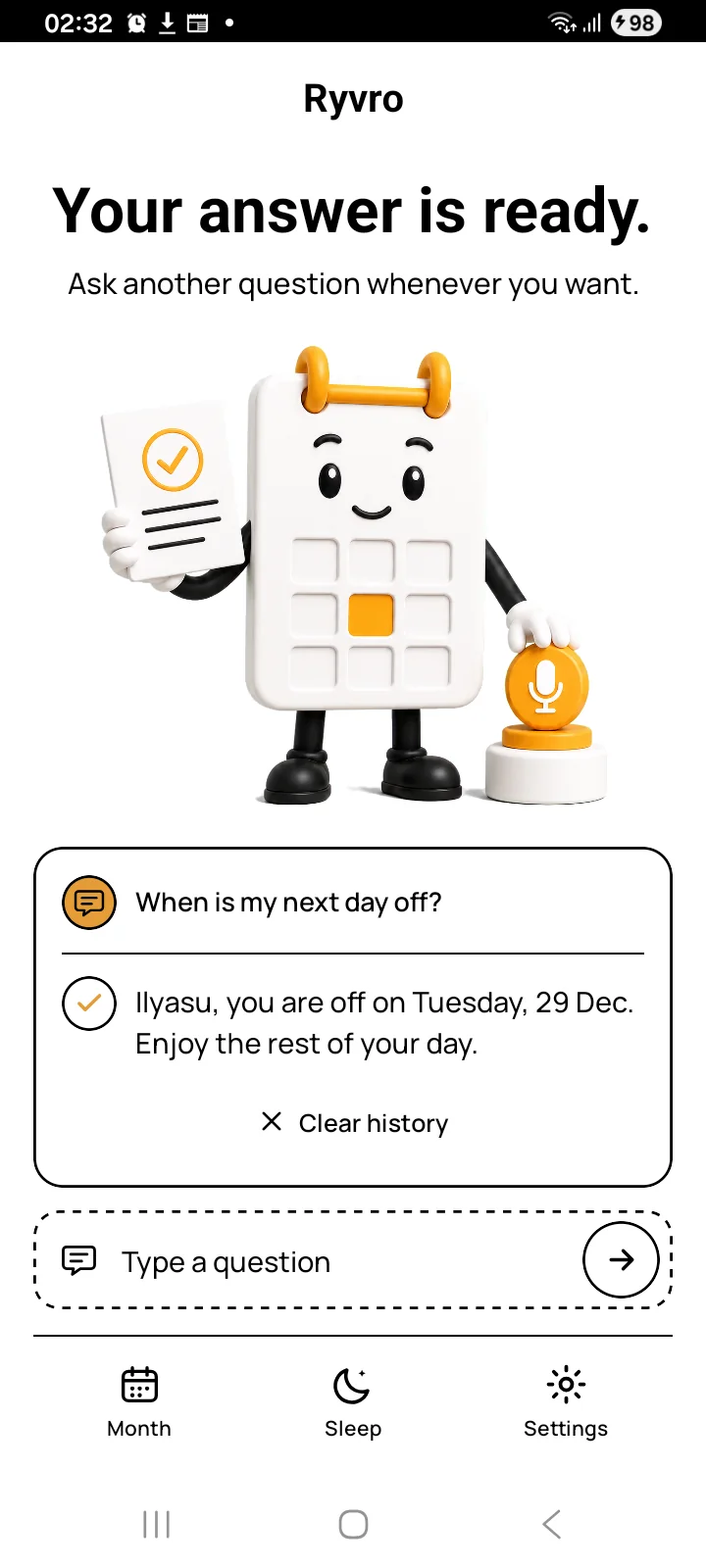
Ask what you work. Keep the question beside the answer.
Choose a question to see how Ryvro helps.
The moment Ryvro is built for
The plan is simple. Working out whether it fits should be too.
A plan comes up.
You count the days, nights, and days off again.
You still answer, “Let me check.”
Ryvro turns the repeating pattern into dates you can check.
How it works
Describe the order, anchor it to one known shift, then check the dates before you save.
Step 1 · Pattern
See what Ryvro heard. Change the words if the draft is wrong.
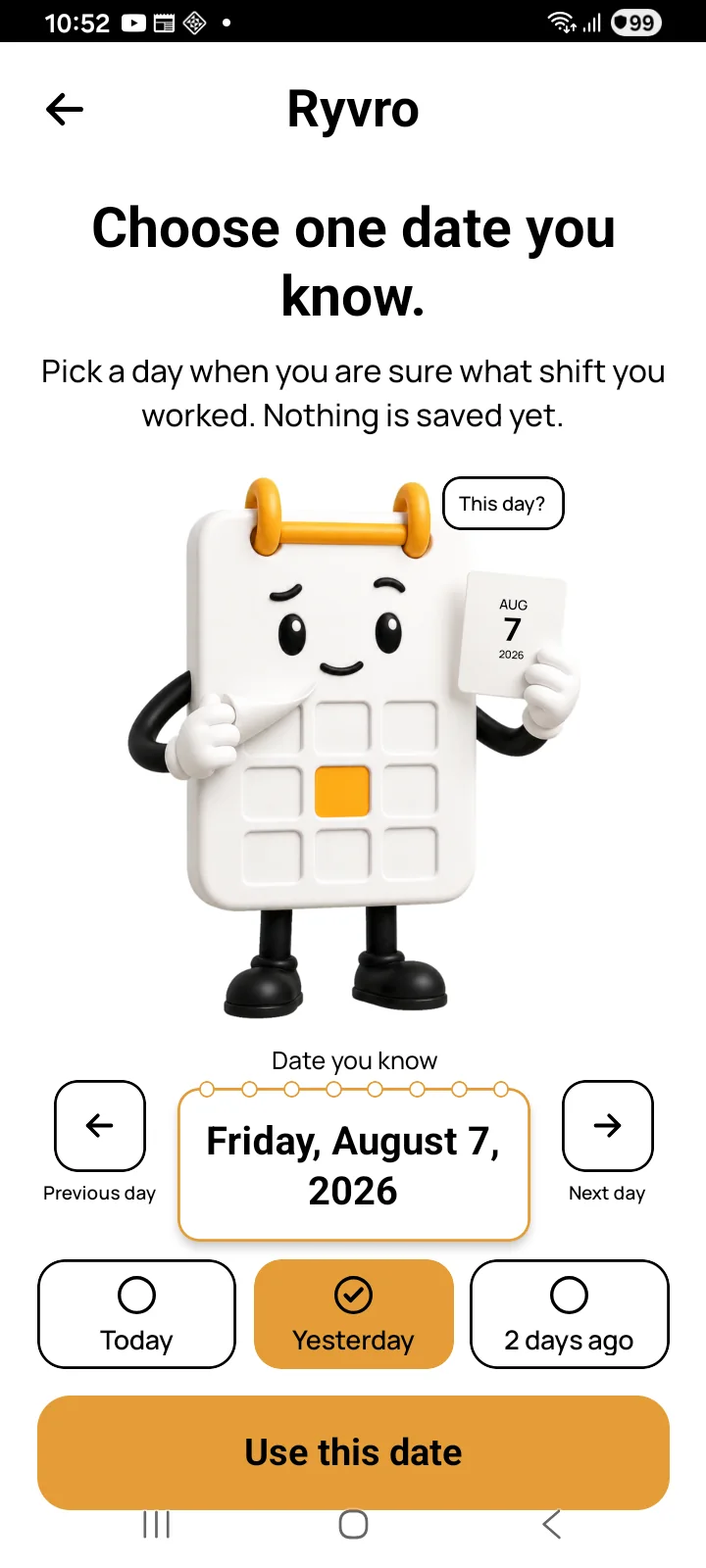
Step 2 · Anchor
That remembered shift gives the repeating order a real place on the calendar.
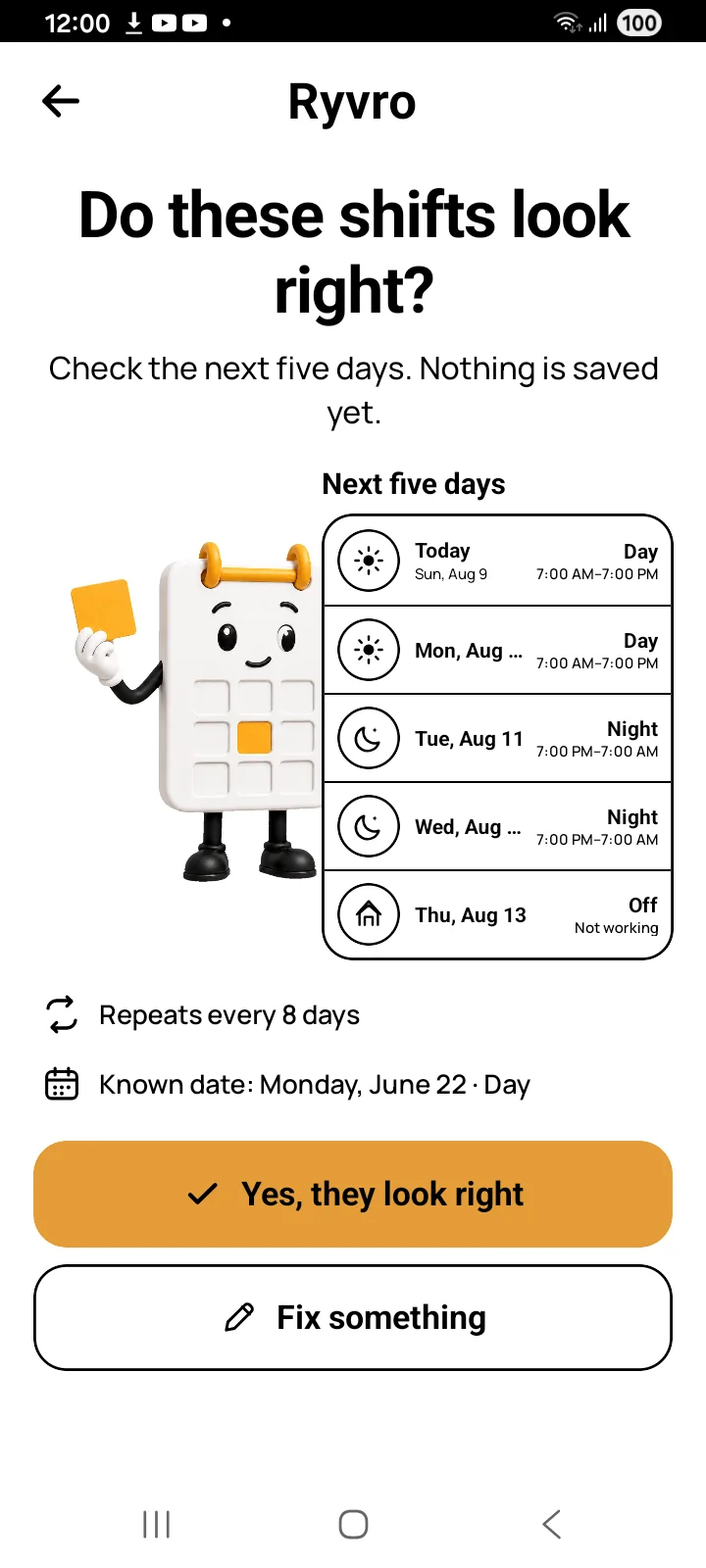
Step 3 · Preview
Approve only when the next shifts look right. Your employer roster remains official.
See the answer before you make the promise
Scan the month, see the next shift and next time off, then look for a shift-free window without counting the cycle from the beginning.
Find Time checks your Ryvro shift calendar and clearly tells you when personal plans were not included.
Compare the two views
See the shift-free match and whether personal plans were included.
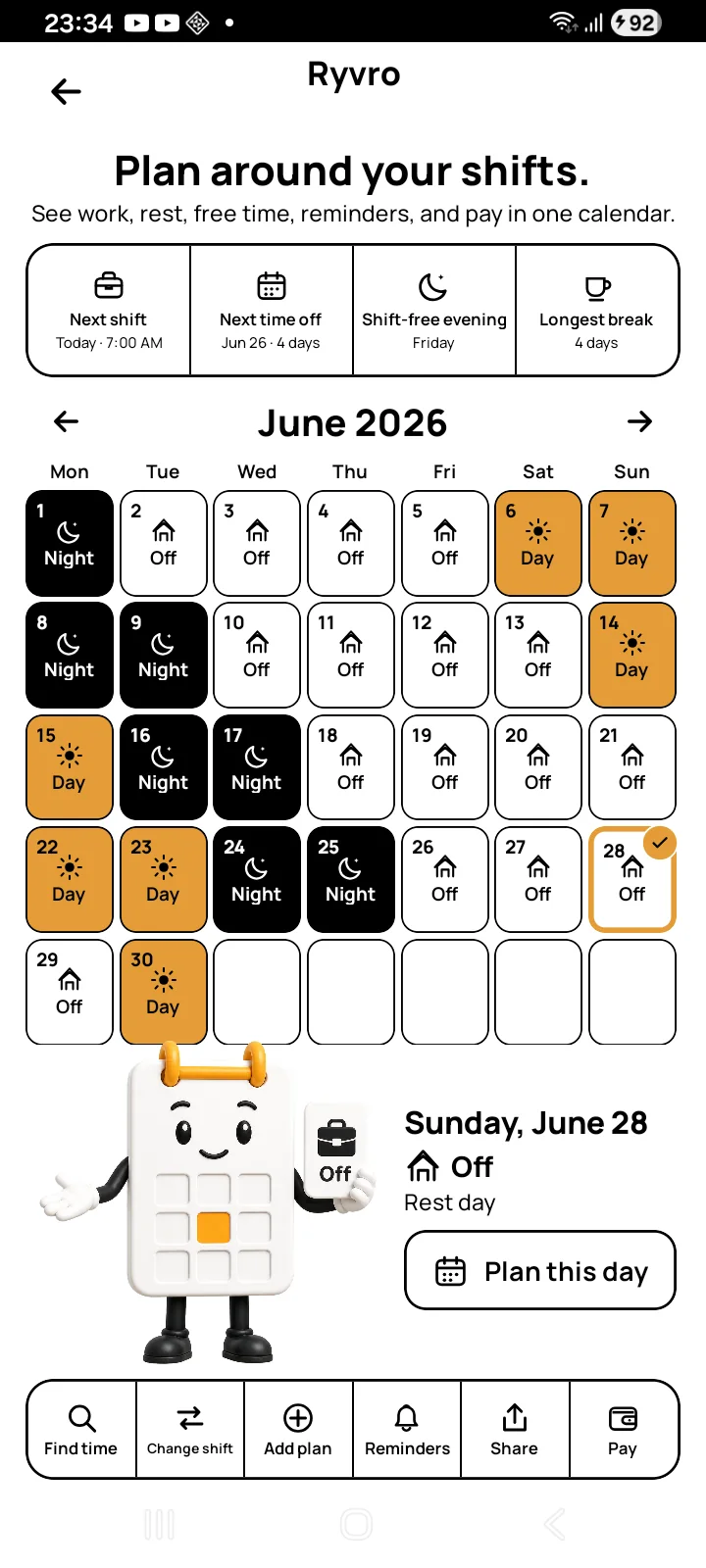
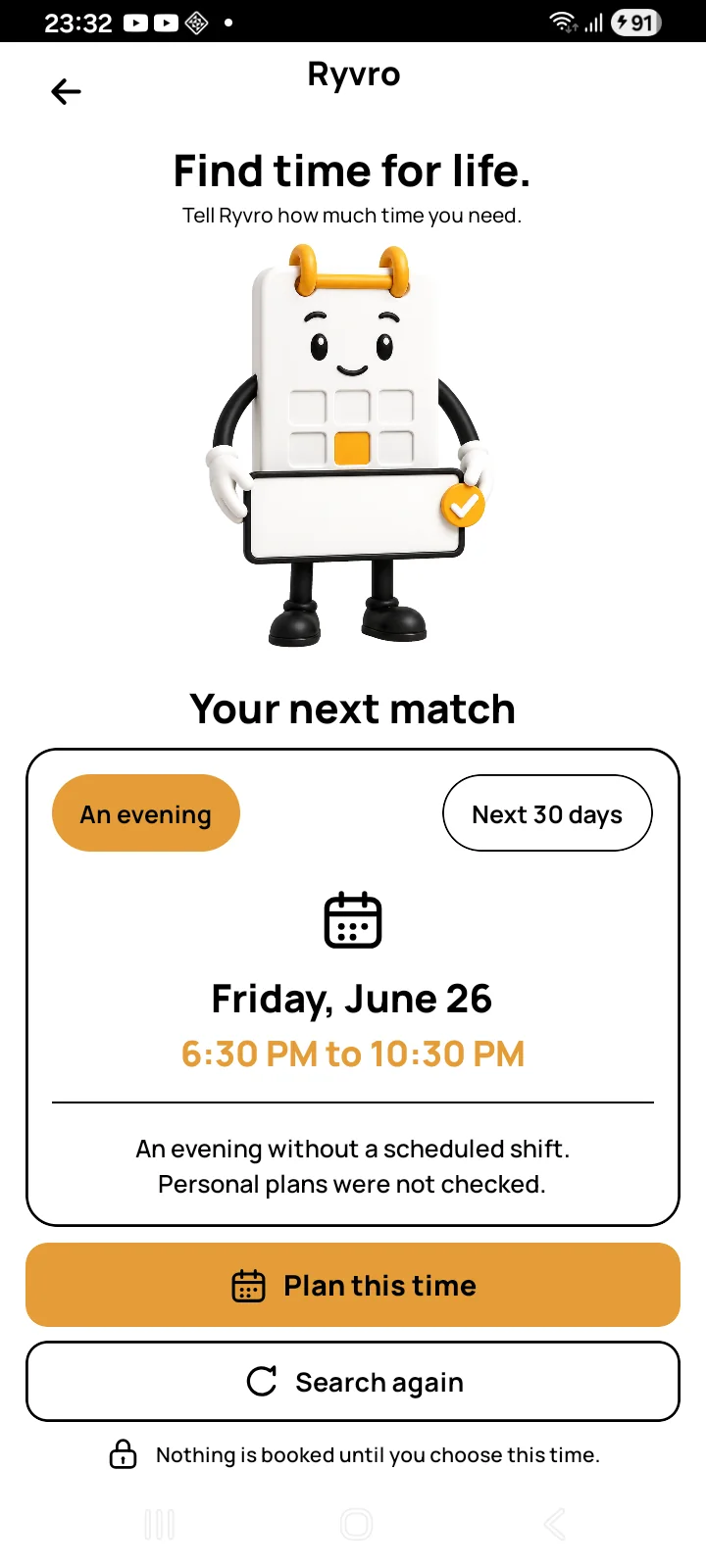
Handle what sits around the shift
Choose the reminders that matter before a shift, then use estimated pay as a planning aid—not a payslip.
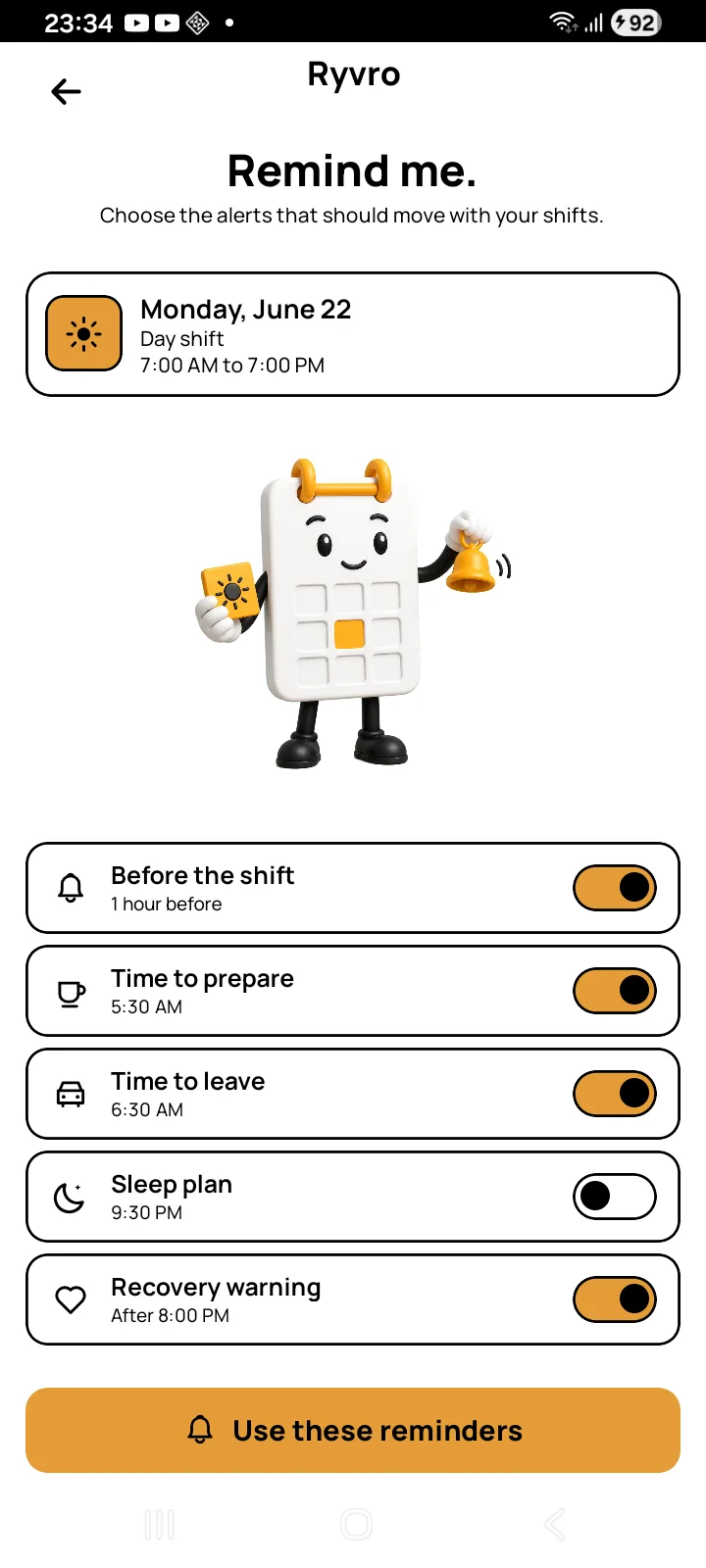
Before work
Choose the reminders that help you prepare, leave, or follow a saved sleep plan. Ryvro tells you when a reminder needs permission or could not be saved.
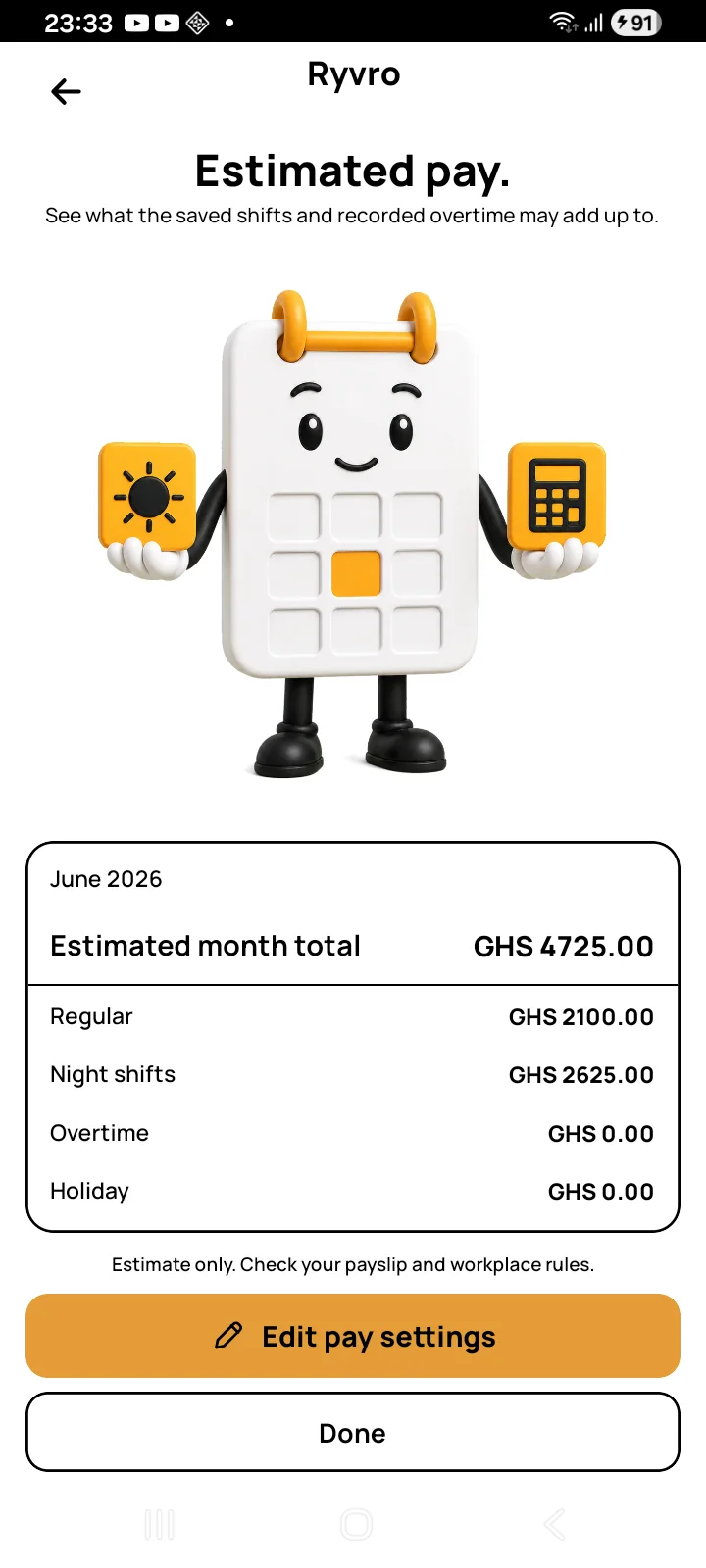
After the rota is set
Use saved hours and rates for planning, then check the payslip and workplace rules for the official amount.
Plan rest around the rota you actually work
Ryvro can place main sleep, naps, and recovery guidance beside the next seven shift days, using supported sleep data when you choose to connect it.
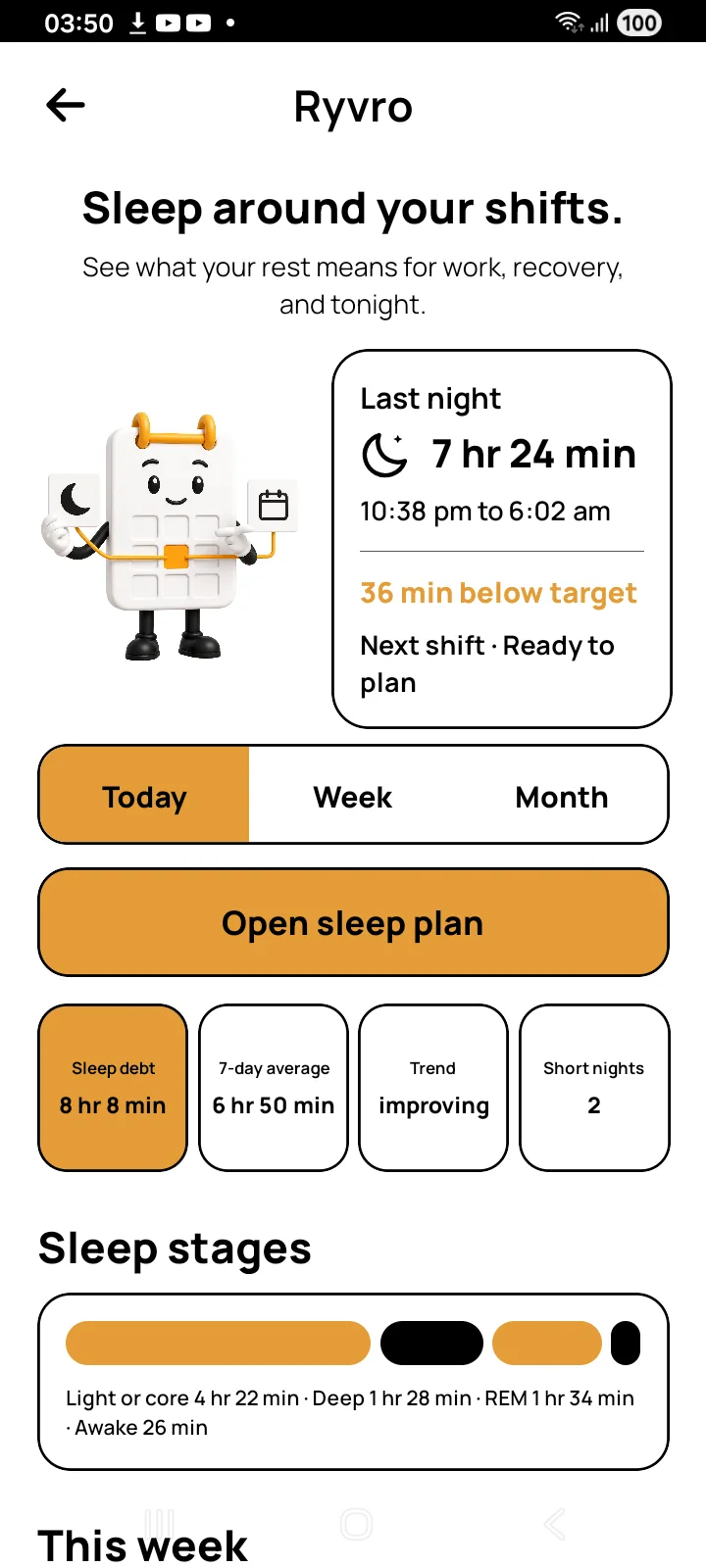
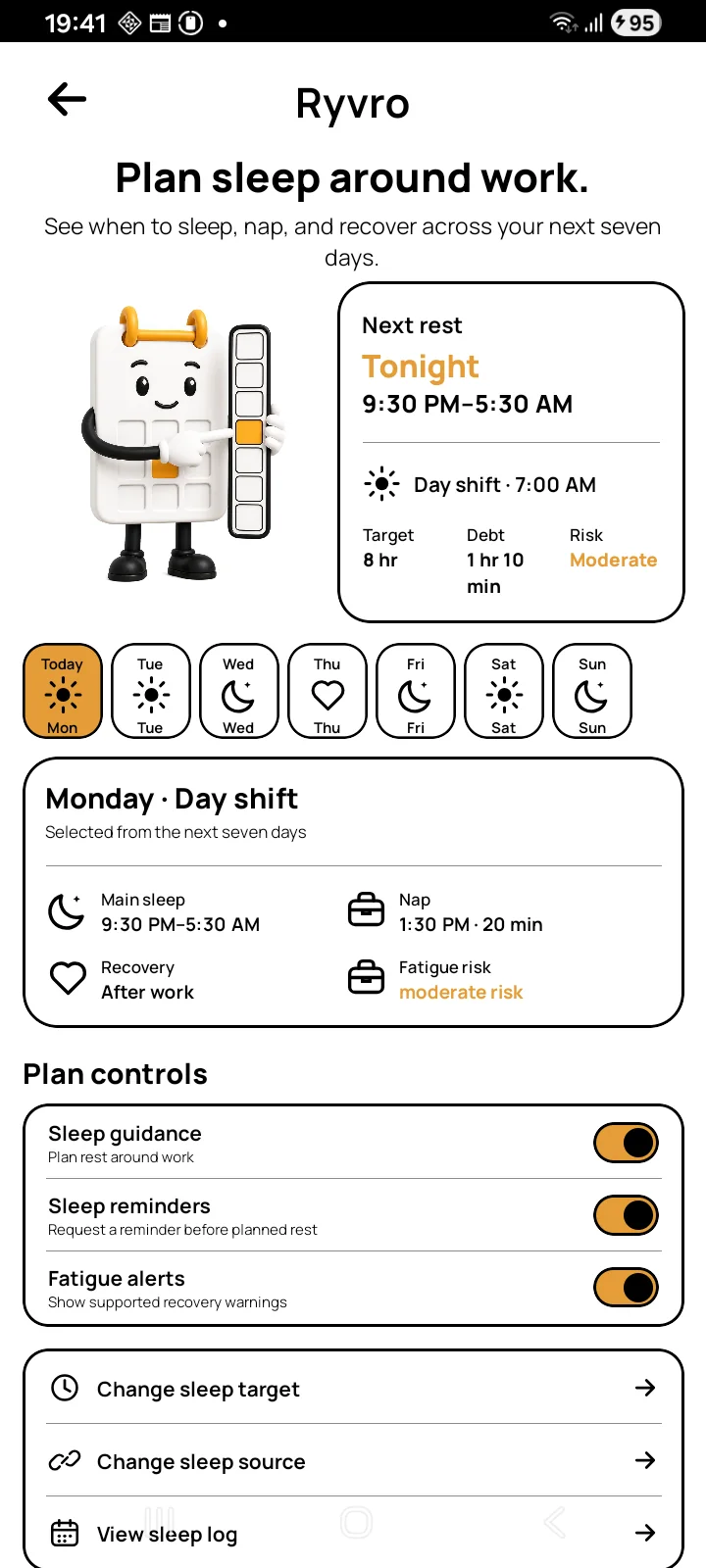
Ryvro provides personal planning guidance, not medical advice, a diagnosis, safety clearance, or fitness-for-duty guidance.
Compare the two views
See the seven-day sleep, nap, and recovery plan around shifts.
Notice what the shift took out of you
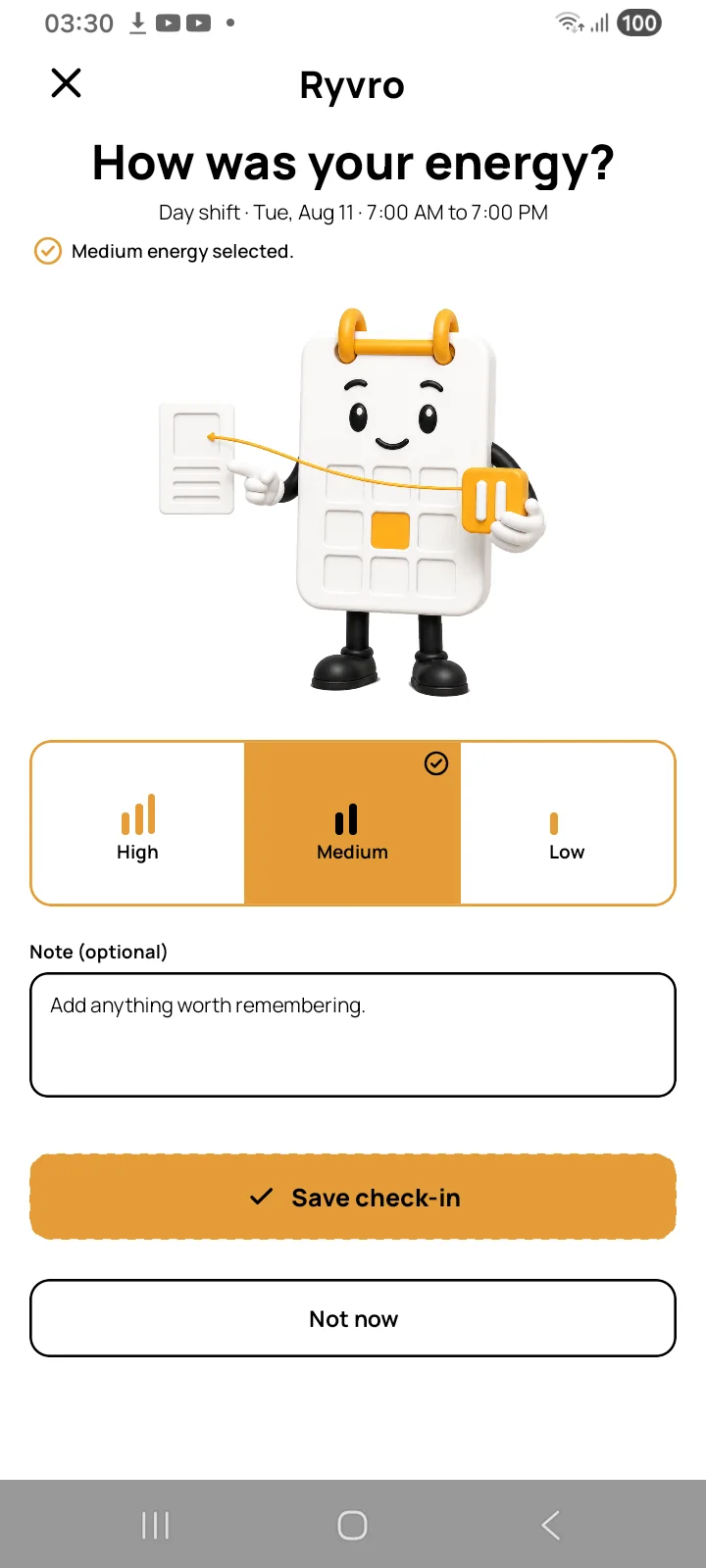
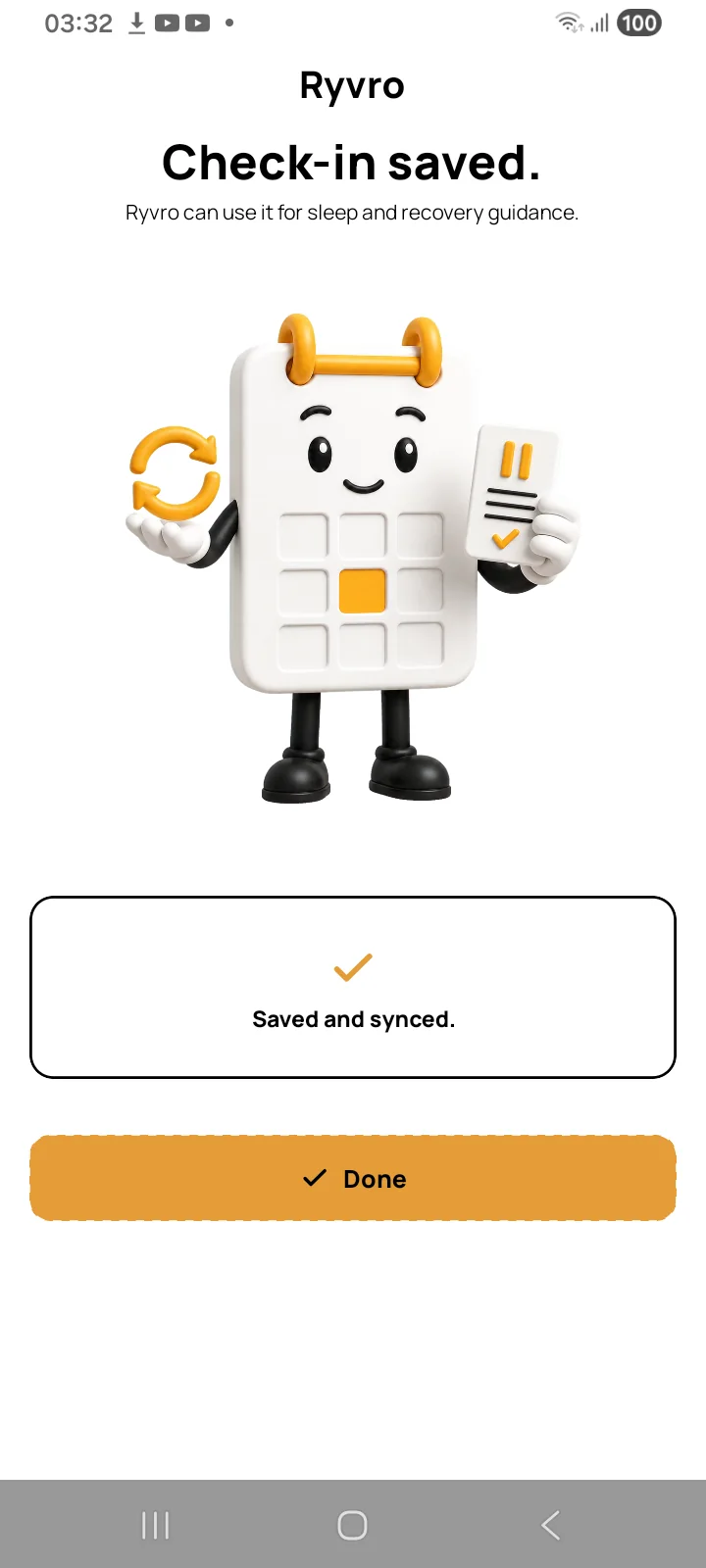
After a completed shift, choose High, Medium, or Low energy and add an optional note. Ryvro shows whether the check-in is still saving, needs attention, or has been safely stored.
A check-in is a personal reflection. It does not diagnose fatigue or replace workplace reporting and safety procedures.
Compare the two views
See the saved check-in confirmation.
Your data stays understandable
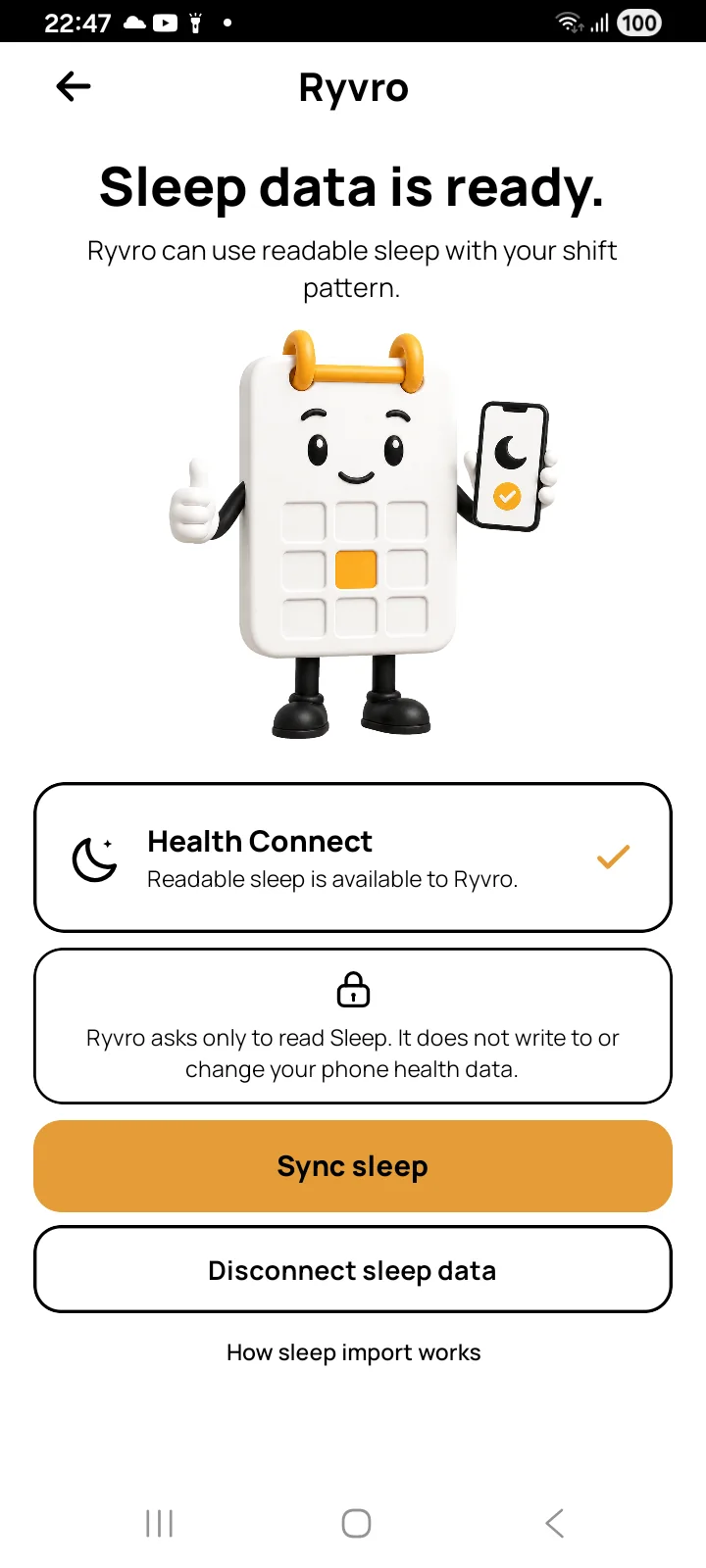
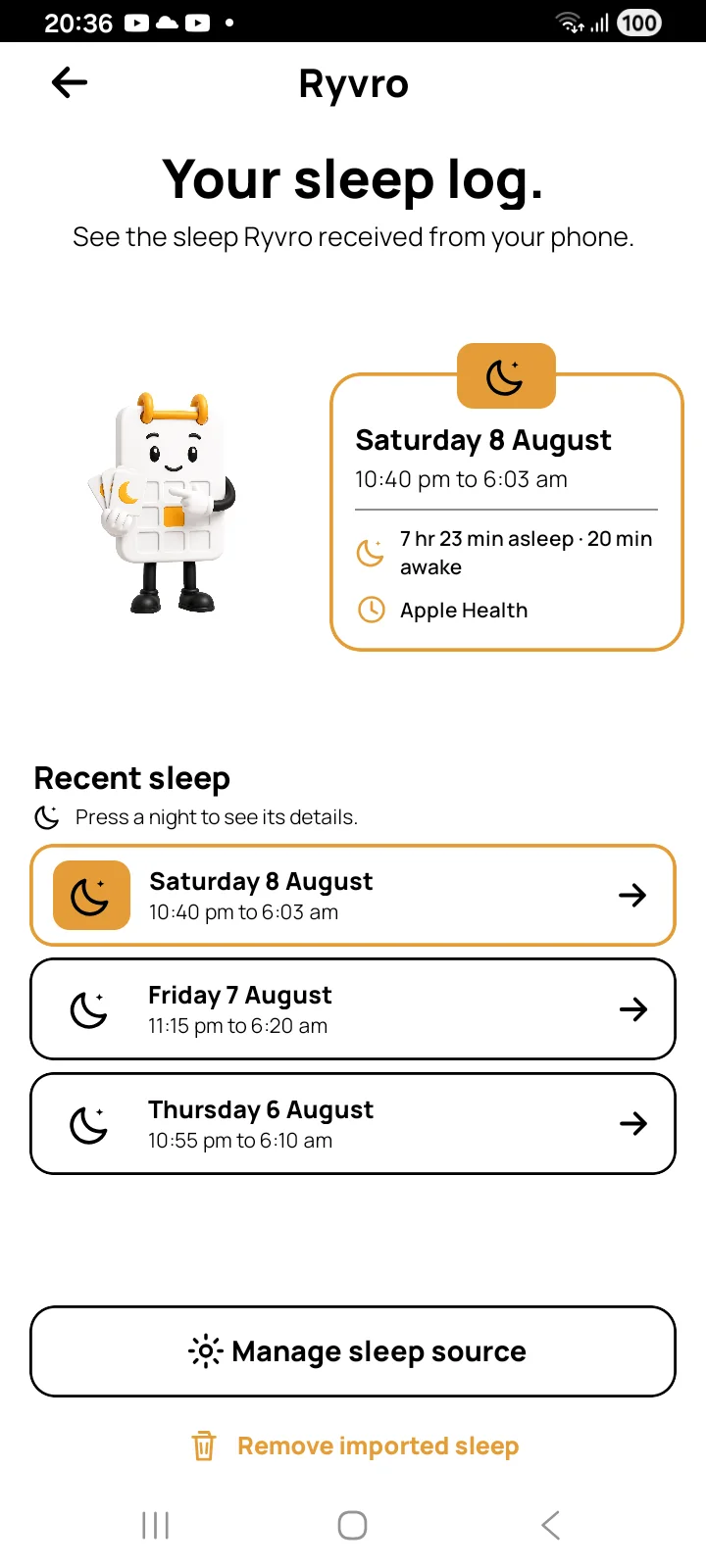
Sleep data is optional. On supported Android devices, Ryvro explains its read-only Health Connect access. You can remove Ryvro's imported copy without changing the original Health Connect data.
Ryvro is a personal planning tool. Confirm critical work times and changes with your employer.
Use supported health data when you choose, or keep the plan based on shifts only.
Read the privacy, support, and account-deletion information whenever you need it.
Availability
Ryvro is not yet available in public app stores. Join the launch list and Ryvro will email the official download link when the app is ready.
Get the launch linkClear before you join
Get direct answers about setup, calendars, pay, sleep data, safety, support, and account deletion.
No. Ryvro is for personal planning. Your employer's roster, change notices, payroll, and safety procedures remain official.
Describe the repeating order, add shift times, choose one date you know, and check the preview before saving the schedule.
You can ask typed or voice questions about shifts, time off, sleep, fatigue, and recovery. Available answers depend on the schedule and data you have saved.
Find Time checks the Ryvro shift calendar and tells you when personal plans were not included. Add personal plans yourself where the app supports them, and confirm before committing.
No. It is an estimate for planning. Check your payslip, contract, overtime rules, and workplace policies for the official amount.
No. You can use shift-only planning. Where supported, connected health data is optional and controlled through the source settings.
No. It is personal planning guidance, not medical advice, diagnosis, safety clearance, or fitness-for-duty guidance. Follow qualified medical advice and workplace procedures.
Use the support page or follow the account-deletion instructions. The footer also links to the Privacy Policy and Terms of Service.
Make the next answer easier
Join the list and Ryvro will send the official download link when it is ready.